

Positioning objects as you draw
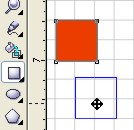
Here’s a time saving trick! Did you know that you can position an object with any object-creation tool (any tool found in Rectangle, Ellipse, Object, or Perfect Shapes flyout) without having to go to the Toolbox? This tip is particularly useful if your drawing contains several objects.
By right-clicking an object with any object-creation tool, you can move or copy it to a new location in your drawing.
- With any object-creation tool active, right-click the object, and drag.
A blue outline of the object follows the pointer as you drag.
2. After you positioned the object, release the right mouse button.
A menu appears.
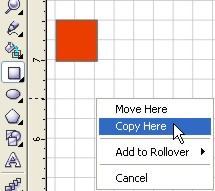
3. Choose one of the following:
- Move here
- Copy here
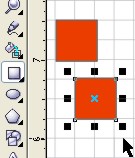
The object is moved or copied.
Most read
- Triple EDP award win for Mimaki
- New HP Printer series for busy enterprise environments
- HP Inc. and manroland Goss sign reseller agreement for Digital Finishing Systems
- Fujifilm to cease sales of Acuity Prime and Acuity Ultra products
- Spicers announces plans to acquire Spandex Australia
- New MD for Fujifilm Business Innovation Australia